
 EN
EN ES
ES PT
PT TH
TH VN
VN JP
JPWhat Is an AI Dash Cam?
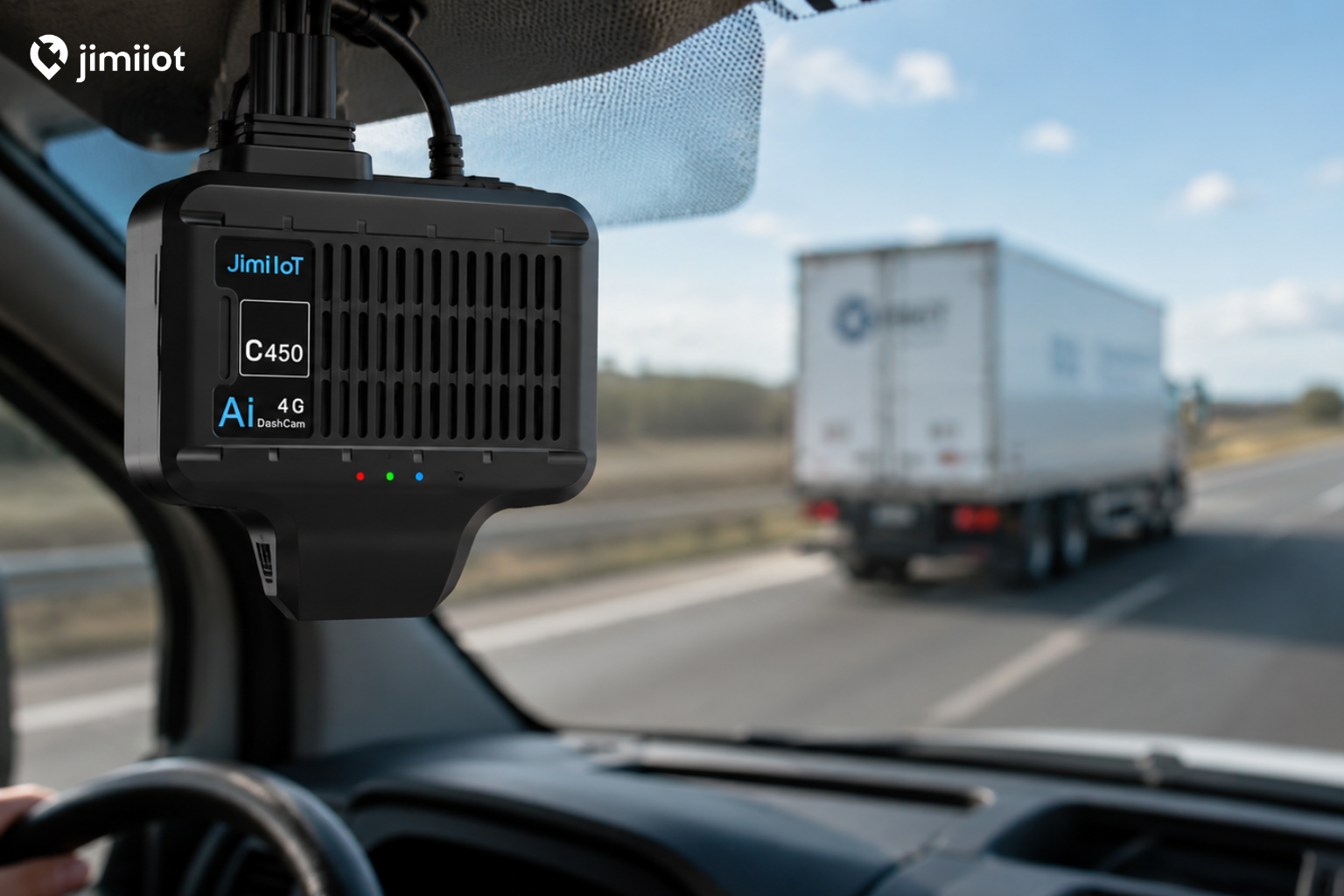
An AI dash cam is an in-vehicle camera that uses video analytics to identify driving events and potential safety risks. Depending on the device configuration, it may include a road-facing camera, a cabin-facing camera, or additional external cameras.
Unlike a basic camera that only stores video, a connected AI dash cam can work with a fleet management platform to transmit alerts, event recordings, GPS locations, and other operational data.
Common AI-assisted event types may include:
- Forward collision risk
- Lane departure
- Unsafe following distance
- Driver distraction
- Mobile phone use
- Smoking
- Driver fatigue
- Harsh acceleration or braking
- Overspeeding
- Camera obstruction
Available features vary by device, configuration, installation, and platform integration. Fleet operators should therefore select a solution based on their actual vehicles, safety requirements, and data workflow.
1. Add Context to Driving Events
GPS trackers can identify speeding, harsh braking, or sudden acceleration. However, these events do not always tell the complete story.
For example, a harsh-braking alert could indicate aggressive driving, but it could also mean that the driver reacted correctly when another vehicle entered the lane. Video footage gives fleet managers the context needed to evaluate the event more accurately.
This helps reduce assumptions and allows safety teams to distinguish between avoidable behavior and appropriate defensive driving.
2. Support Faster Incident Investigation
After an accident or customer complaint, fleet managers may need to collect information from several sources. Without video, the investigation may depend heavily on driver statements, witness reports, and incomplete vehicle data.
A connected fleet dash camera can help authorized users locate relevant event footage based on the vehicle, time, or GPS location. When recordings are available, managers can review the circumstances surrounding an incident and respond more efficiently.
Video evidence may help fleets:
- Understand the sequence of events
- Verify vehicle and driver activity
- Respond to customer complaints
- Support internal investigations
- Provide relevant information to insurers or other authorized parties
Because retention periods and retrieval methods differ between solutions, fleets should confirm how video is stored, transmitted, and accessed before deployment.
3. Enable More Targeted Driver Coaching
Effective driver coaching should be based on specific behavior rather than general assumptions. AI-generated alerts and event video can help safety managers identify recurring patterns, such as distraction, close following, or frequent harsh braking.
Instead of reviewing entire trips, managers can focus on selected safety events. This makes coaching more relevant and easier to incorporate into regular fleet operations.
Video should also be used to recognize safe driving. When footage shows that a driver handled a difficult situation correctly, managers can provide positive feedback and reinforce good habits.
A balanced coaching program can help drivers understand that the purpose of the technology is to improve safety and clarify events—not simply to monitor them.
4. Improve Visibility Across Distributed Fleets
Many North American businesses manage vehicles across multiple cities, states, provinces, or service areas. Supervisors cannot physically observe every driver or vehicle in operation.
Video telematics gives fleet managers a centralized way to review safety events across different locations. Depending on the system, users may be able to view vehicle status, event alerts, historical routes, and selected video clips through a web platform or integrated backend.
This can be particularly useful for:
- Delivery and logistics fleets
- Field service companies
- Construction and utility vehicles
- Passenger transportation
- Rental and leasing operations
- Regional trucking fleets
Centralized visibility can help organizations apply more consistent safety standards across branches and operating regions.
5. Combine Video with Other Telematics Data
An AI dash cam becomes more valuable when video is connected with GPS and vehicle data. Fleet managers can review when and where an event occurred while also examining speed, route history, ignition status, and other available information.
Some deployments may also require integration with a fleet’s own software platform. In these cases, businesses should evaluate whether the device or service provides the necessary protocol, API, or data-access options.
Important technical questions include:
- Can event data be sent to an existing fleet platform?
- What communication protocols are supported?
- How can authorized users request video remotely?
- Does the device support over-the-air configuration?
- How are firmware and device settings managed?
- Can alerts be customized for different vehicle groups?
- What cellular bands and carrier networks are supported?
Answering these questions early can reduce integration challenges during a larger rollout.
What Should Fleets Consider Before Deployment?
Selecting the right commercial vehicle camera requires more than comparing camera resolution. Fleets should consider the entire operational environment.
Vehicle and Camera Requirements
Determine whether the fleet needs a road-facing camera, a cabin-facing camera, or a multi-camera system. Vehicle type, installation location, operating conditions, and desired field of view can affect the final configuration.
Network Compatibility
A connected camera must be compatible with the cellular networks used in the intended deployment market. Fleets operating in the United States, Canada, or Mexico should confirm supported LTE bands and relevant regional configurations.
Video Storage and Data Usage
Video transmission can consume more cellular data than standard GPS tracking. Event-based uploads, live video access, recording quality, and storage settings should be planned according to operational needs.
Privacy and Driver Communication
Cabin-facing cameras and driver-monitoring features may be subject to company policies, contracts, or local privacy requirements. Businesses should clearly communicate how video is collected, who can access it, and how long it is retained.
Legal and privacy requirements can vary by jurisdiction, so fleets should obtain appropriate professional guidance before deployment.
Pilot Testing
A pilot program allows the fleet to test device installation, network performance, alert accuracy, platform usability, and driver acceptance before expanding the solution.
The pilot should include representative vehicles and real operating conditions. Fleet managers can then use the results to refine alert settings, installation procedures, and coaching workflows.
Building a Safer Fleet with Video Telematics
AI dash cams can give fleet operators more than recorded video. When properly deployed, they can connect visual evidence with location and driving-event data, helping businesses investigate incidents, coach drivers, and improve operational visibility.
The most effective solution will depend on the fleet’s vehicles, coverage requirements, integration needs, and safety goals. A successful deployment should combine suitable hardware with a clear data policy, structured driver communication, and an ongoing process for reviewing safety events.
Jimi IoT provides connected vehicle and video telematics solutions for a variety of commercial fleet applications. Our team can help businesses evaluate camera configurations, connectivity requirements, platform integration, sample availability, and deployment needs.
Looking for an AI dash cam solution for your fleet? Contact Jimi IoT to discuss your vehicles, target market, required features, and integration requirements.


