
 EN
EN ES
ES PT
PT TH
TH VN
VN JP
JPFor a trucking company, knowing where a vehicle is solves only one part of the operational problem.
Fleet managers also need to know:
- How many miles each truck has traveled
- Which vehicles are approaching a maintenance interval
- Whether drivers followed the assigned route
- Where unexpected stops or delays occurred
- Which vehicles require immediate attention
- Whether dispatch plans still match the driver’s available working time
This is where GPS tracking data becomes useful beyond the map.
Connected GPS fleet trackers can provide mileage estimates, trip histories, vehicle activity, ignition status, and exception alerts. When that information is organized properly, it can support daily dispatching, preventive maintenance, safety reviews, and more consistent recordkeeping.
For U.S. trucking operations, however, GPS tracking should be treated as an operational data source. It does not replace required inspections, maintenance records, hours-of-service records, or a compliant electronic logging device.
How GPS Data Supports Truck Fleet Management
A truck produces a continuous stream of operational information while it is on the road.
The most useful data commonly includes:
- Current and historical location
- Trip distance
- Vehicle mileage
- Ignition status
- Stop duration
- Idle time
- Route history
- Speed events
- Geofence entry and exit
- Power disconnection or device tampering
- Unexpected movement
Looking at one data point rarely provides the whole story.
A vehicle may show excessive mileage because it was assigned additional work, took an inefficient route, or was used without authorization. A long stop may reflect loading delays, required driver rest, traffic disruption, or a vehicle problem.
Effective truck fleet management comes from connecting the data with the vehicle’s assignment, maintenance plan, driver schedule, and operating context.
Use Mileage Data to Plan Fleet Maintenance
Mileage is one of the most practical data points collected by a truck tracking system.
Many maintenance tasks are scheduled according to distance traveled, including:
- Oil and filter changes
- Tire inspections and rotations
- Brake inspections
- Fluid checks
- Belt and hose inspections
- Drivetrain servicing
- Manufacturer-recommended preventive maintenance
Without centralized mileage data, maintenance teams may depend on drivers to report odometer readings or wait until vehicles return to the yard.
That process becomes harder when trucks operate across states, remain on the road for several days, or return to different terminals.
GPS mileage data gives the fleet a more consistent view of vehicle use. Managers can identify which trucks are accumulating mileage faster and which ones are approaching their next service interval.
For example, two trucks may receive the same maintenance schedule at the beginning of the quarter. One operates regional routes six days per week, while the other is used only for shorter backup assignments. A calendar-only reminder may treat them the same even though their actual use is very different.
Mileage-based reminders give the maintenance team a better basis for prioritizing service.
Build Maintenance Reminders Around More Than One Trigger
Mileage is important, but it should not be the only maintenance trigger.
A practical fleet maintenance program may use a combination of:
Mileage
Useful for routine service intervals affected by vehicle use.
Engine hours
Relevant for trucks that spend significant time idling, operating auxiliary equipment, or working at low speeds.
Calendar dates
Useful for annual inspections, registration renewals, insurance dates, and services that must occur even when mileage is low.
Vehicle condition
Driver reports, diagnostic information, inspection results, and repeated exception events may indicate that a vehicle needs attention before its normal service interval.
The fleet platform can support the scheduling process by showing approaching and overdue maintenance items. The maintenance team must still inspect the vehicle, complete the required work, and retain the necessary records.
Under U.S. federal motor carrier rules, carriers are responsible for systematically inspecting, repairing, and maintaining commercial motor vehicles under their control. GPS data can support that process, but it is not a substitute for the maintenance program itself.
Turn Mileage Into an Actionable Maintenance Workflow
Mileage data is most useful when it leads to a clear action.
A simple workflow may look like this:
- The GPS tracker records vehicle activity and accumulated mileage.
- The platform compares the mileage with the truck’s configured service interval.
- The maintenance team receives an approaching-service reminder.
- The manager reviews the truck’s current route and expected return date.
- Service is scheduled at the appropriate terminal or workshop.
- The completed work is entered into the fleet’s maintenance records.
- The next interval is set according to the vehicle and maintenance policy.
This helps avoid a common problem: knowing that maintenance is due but failing to schedule it around the truck’s actual operation.
A maintenance reminder should include enough information to act on it, such as:
- Vehicle or unit number
- Current mileage
- Service type
- Due mileage or date
- Assigned driver
- Current location
- Planned return date
- Maintenance status
Use Route History to Review What Happened
Live tracking shows where a truck is now. Route history helps explain what happened earlier.
For U.S. trucking fleets, route history can support reviews of:
- Unexpected mileage
- Delivery delays
- Missed stops
- Unauthorized detours
- Customer arrival times
- Yard entry and departure
- Repeated congestion points
- Time spent at warehouses and terminals
Consider a truck that returns with 80 more miles than expected.
The mileage total identifies the difference, but it does not explain it. Route playback may show that the driver avoided a highway closure, traveled to the wrong distribution center, made an unauthorized stop, or was reassigned by dispatch.
This context is important before making a judgment about driver behavior or route performance.
Route history can also help a fleet identify patterns. If multiple drivers repeatedly deviate at the same location, the planned route may no longer be practical.
Configure Exception Alerts Around Real Risks
Fleet managers should not need to watch every truck on a live map throughout the day.
Exception alerts help direct attention to vehicles that may require action.
Depending on the tracker, connected sensors, and platform configuration, useful alerts may include:
- Excessive speeding
- Prolonged idling
- Route deviation
- Unauthorized geofence entry or exit
- After-hours movement
- Unexpected ignition activity
- Tracker power disconnection
- Low device battery
- Unexpected towing or vibration
- Extended stops
- Missed arrival at a required location
The goal is not to generate as many alerts as possible.
A system that sends hundreds of routine notifications may cause dispatchers to ignore the events that matter. Alert rules should reflect the type of vehicle, assigned route, cargo risk, working hours, and responsible team.
Set different rules for different trucks
A long-haul tractor should not necessarily use the same alert thresholds as a local delivery truck.
The long-haul vehicle may require route-corridor alerts and terminal arrival monitoring. The local truck may need tighter geofences, shorter idle thresholds, and after-hours movement alerts.
Add time conditions
Leaving a terminal at 8:00 a.m. may be expected. Leaving at 2:00 a.m. may require verification.
Time-based rules make the same location event more meaningful.
Assign each alert to an owner
A speeding alert may go to the safety team. A maintenance reminder may go to the workshop. A late delivery alert may go to dispatch.
Clear ownership prevents notifications from remaining unresolved.
Use Exception Data to Improve Maintenance Decisions
Some driving and operational events can also provide useful context for fleet maintenance.
Frequent harsh braking may lead the maintenance team to inspect brakes or tires more closely. Long idle periods may increase engine hours without adding much mileage. Repeated low-voltage or power-disconnection alerts may indicate a battery, wiring, installation, or device issue.
These alerts do not diagnose a mechanical fault on their own.
They help identify vehicles that may need a closer inspection.
A useful review combines:
- GPS mileage
- Engine hours, when available
- Driver inspection reports
- Maintenance history
- Fault codes or diagnostic data
- Driving-event history
- Roadside inspection results
This gives maintenance teams more context than mileage alone.
Where HOS and ELD Fit Into the Workflow
Hours of service and electronic logging devices are closely related to truck operations, but they should not be confused with standard GPS vehicle tracking.
FMCSA hours-of-service rules govern driving time, on-duty time, and required rest for covered commercial vehicle operations. Drivers who are required to prepare records of duty status generally must use a qualifying ELD unless an exception applies.
An ELD is designed to synchronize with the vehicle engine and record information used for hours-of-service records.
A GPS fleet tracker may provide location, route, mileage, ignition, and vehicle activity data. Those features can help dispatchers understand where a truck is and whether a route plan remains realistic, but a standard GPS tracker should not be presented as an ELD unless the complete solution meets the applicable FMCSA requirements and is listed as a registered device.
The two workflows can still support each other operationally.
For example, dispatch may use:
- GPS tracking to see the truck’s location and route progress
- Route history to understand delays
- ELD information to review the driver’s available hours
- Maintenance data to confirm whether the truck is due for service
- Dispatch records to decide whether to reassign the load
GPS data adds operational context. ELD data serves a separate recordkeeping and HOS function.
Do Not Use GPS Data as a Substitute for Compliance Records
GPS tracking creates useful supporting data, but fleets should be careful about how it is described and used.
GPS data does not automatically replace:
- Driver records of duty status
- Required ELD records
- Driver vehicle inspection reports
- Maintenance and repair records
- Annual inspection documentation
- Roadside inspection reports
- State-specific records
- Company safety procedures
A route history may help explain where a truck traveled, but it is not itself a complete hours-of-service record.
A maintenance reminder may show that service is due, but it does not prove that the inspection or repair was completed.
The fleet should maintain defined systems of record for compliance documents and use tracking data to improve visibility around those systems.
Bringing GPS and Maintenance Data Into One View
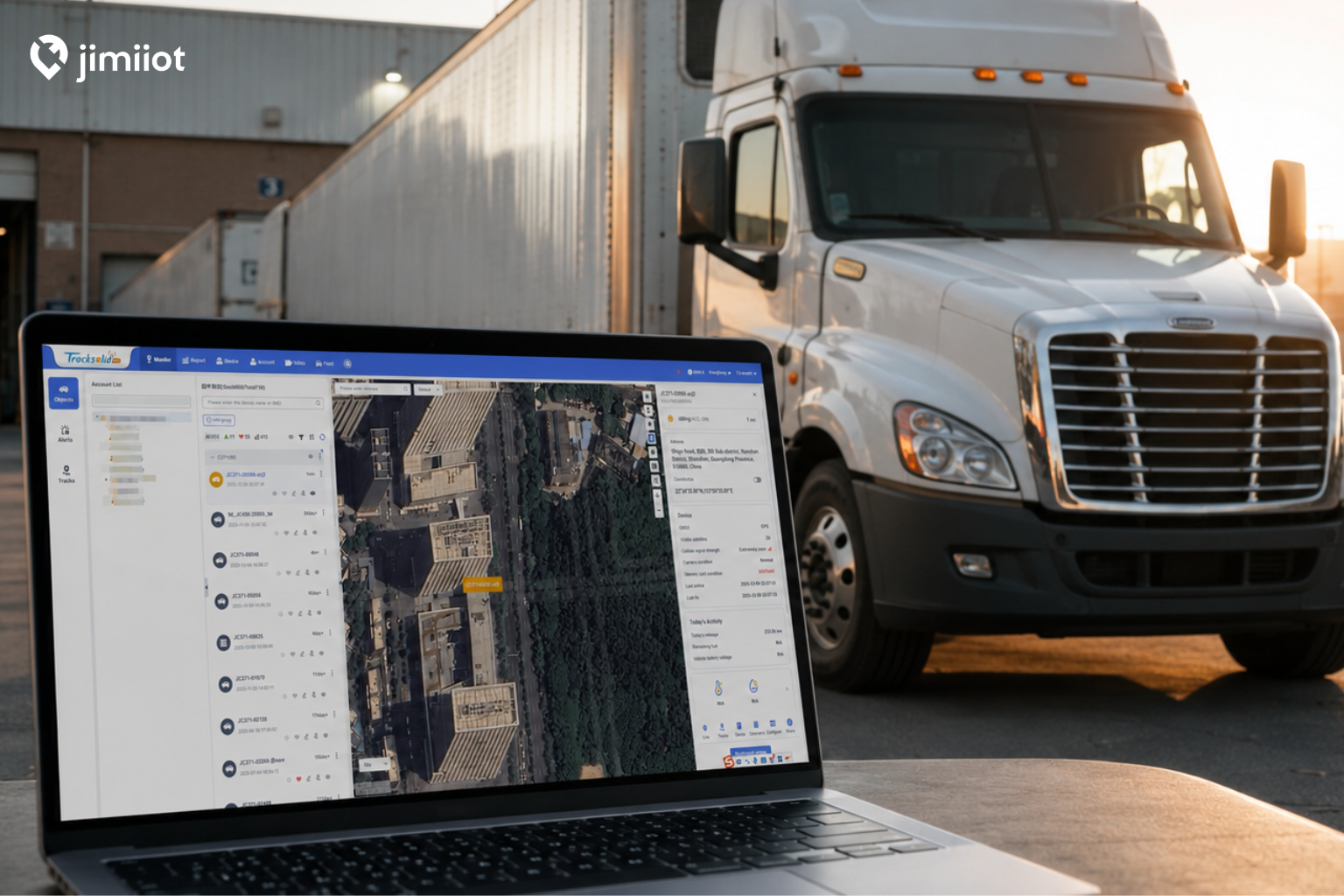
Tracksolid Pro allows fleet operators to view live location, route history, instant alerts, analytics, and maintenance schedules through a connected platform.
For truck fleets, that creates a practical workflow:
- Dispatch can see current locations and trip progress.
- Maintenance teams can review usage and approaching service dates.
- Safety teams can investigate speeding or driving exceptions.
- Managers can compare mileage, routes, and vehicle activity.
- Authorized users can receive the alerts relevant to their roles.
The platform does not remove the need for maintenance procedures or compliance documentation. It helps teams identify what requires attention and coordinate the next action.
When evaluating GPS fleet trackers, fleets should consider the platform as carefully as the hardware. A tracker that sends location data but provides limited reporting or alert management may create more manual work for the operations team.
Example: Regional Trucking Fleet
A regional carrier operates 30 tractors across three terminals.
Each vehicle has mileage-based preventive maintenance intervals. The trucks do not always return to the same terminal, making manual odometer collection inconsistent.
The fleet uses GPS mileage data to monitor approaching service intervals. When a vehicle is close to the threshold, the maintenance manager checks its current route and assigns service at the terminal it is scheduled to visit next.
Route history is also reviewed when mileage is higher than expected. Exception alerts identify excessive idling, unauthorized yard departures, and route deviations.
The company retains its formal inspection, repair, and maintenance records separately. Tracking data supports planning and investigation, while the official records document the work performed.
Practical Truck Fleet Management Checklist
Use this checklist when connecting GPS tracking data with daily fleet operations.
Vehicle and tracker setup
- Confirm each tracker is assigned to the correct truck.
- Use consistent unit numbers across tracking, maintenance, dispatch, and accounting systems.
- Verify that mileage and vehicle information are updating correctly.
- Review device-offline and power-disconnection alerts.
Fleet maintenance
- Define maintenance intervals by mileage, engine hours, date, or vehicle condition.
- Set approaching-due and overdue reminders.
- Assign each maintenance alert to a responsible employee.
- Compare GPS mileage with vehicle and service records periodically.
- Keep completed inspection and repair records in the appropriate system.
Route and dispatch management
- Review route history when mileage or arrival times are unusual.
- Create geofences around terminals, yards, customer sites, and restricted areas.
- Set route-deviation and excessive-stop thresholds according to the operation.
- Use location data to support dispatch decisions without treating it as HOS availability.
Exception management
- Prioritize alerts that require immediate action.
- Avoid applying identical alert rules to every vehicle.
- Document who reviews each type of alert.
- Review repeated events by vehicle, route, and driver.
- Escalate mechanical concerns to inspection rather than relying on telematics alone.
HOS and compliance coordination
- Confirm whether each driver and operation is subject to HOS and ELD requirements.
- Use a registered, qualifying ELD where required.
- Keep GPS tracking and ELD functions clearly identified.
- Retain required records according to applicable federal, state, and company policies.
- Review compliance requirements with qualified legal or safety professionals when necessary.
Final Thoughts
GPS tracking data can make truck fleet management more organized, but the value comes from what the fleet does with the information.
Mileage can trigger maintenance planning. Route history can explain delays and excess distance. Exception alerts can direct attention to unusual vehicle activity. Location data can help dispatchers coordinate trucks across terminals and routes.
For U.S. trucking operations, the most reliable approach is to connect GPS data with established maintenance, safety, dispatch, HOS, and recordkeeping workflows.
The GPS tracker provides visibility.
The fleet’s procedures determine whether that visibility leads to timely action.
Looking for GPS fleet trackers and a platform that connects vehicle location, mileage, route history, alerts, and maintenance schedules?


